Notice: SSOLink.in एक independent information website है — राजस्थान सरकार का official portal नहीं है। Official SSO services के लिए visit करें: sso.rajasthan.gov.in ↗
SSO

How to Fix Rajasthan SSO Login Issues – Full Troubleshooting Guide

A
By Admin
August 7, 2025
min read
How to Fix Rajasthan SSO Login Issues – Full Troubleshooting Guide

🚫 Facing Rajasthan SSO Login Problems? Here’s How to Fix Them

Many users trying to access government services through the Rajasthan SSO portal face login issues like invalid credentials, OTP errors, or account lockouts. If you're one of them, don't worry — this guide will help you solve the most common Rajasthan SSO login problems quickly and easily.

❗ Common SSO Login Problems

Here are some of the issues users typically face:

ProblemExplanation
Invalid SSO ID or passwordMistyped credentials or forgotten login details
OTP not receivedSMS/email delivery failure
Page not loadingBrowser cache or network issue
Account lockedToo many failed login attempts
Jan Aadhaar mismatchWrong details during login or registration

🛠️ How to Fix Rajasthan SSO Login Issues

Let’s go through the step-by-step fixes:

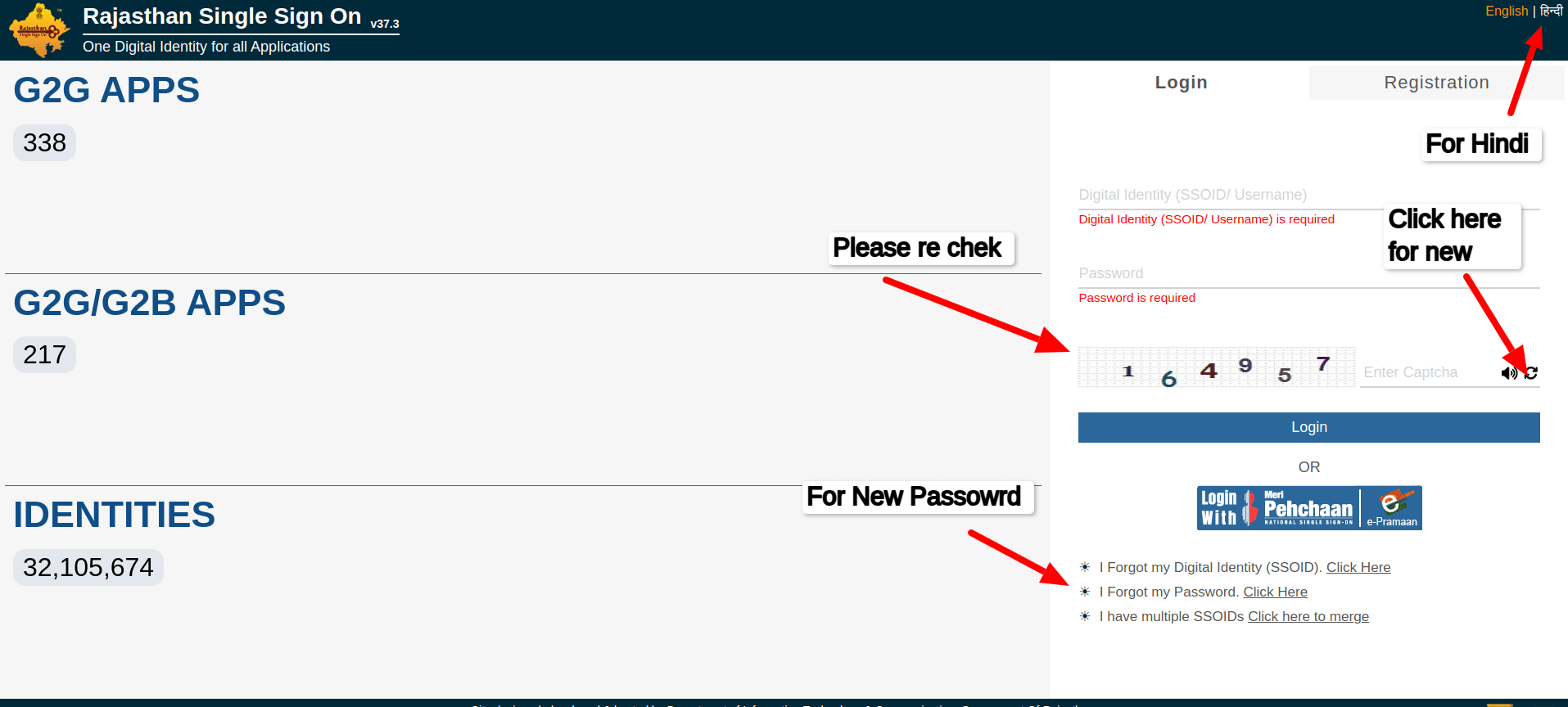
✅ 1. Check Your SSO ID and Password

  • Go to the official login guide:
    👉 Rajasthan SSO ID Login Guide
  • Ensure your SSO ID is correct (case-sensitive)
  • Use the “Forgot Password” option if needed
  • Avoid copy-pasting your password — type it manually

✅ 2. Didn’t Receive OTP?

Try the following:

  • Wait at least 30 seconds for the OTP
  • Check spam or promotions folder in email
  • Make sure your mobile number is linked correctly
  • Try again using email OTP if mobile doesn’t work

If it still doesn’t work, visit:
👉 Rajasthan SSO Login Help

✅ 3. Clear Browser Cache

Sometimes, login errors are due to a full cache. Do this:

  • Open browser settings
  • Clear cookies and site data
  • Refresh the page or try incognito mode

✅ 4. Unlock a Locked Account

If your account is locked:

  • Wait 24 hours before trying again
  • Use the "Forgot Password" feature
  • If nothing works, create a support request on the official portal

✅ 5. Verify Jan Aadhaar or Bhamashah

Make sure your ID is entered exactly as shown in official documents. Any mismatch will block login.

🖱️ Need a Fresh Start? Revisit the Portal

You can go directly to your login guide here:
🔗 https://ssolink.in/rajasthan-sso-id-login-guide

If you need help understanding the SSO system:
🔗 https://ssolink.in/rajasthan-sso-login-help

Main page for all SSO help:
🔗 https://ssolink.in/

📢 Final Tips

  • Always use the official portal: sso.rajasthan.gov.in
  • Double-check your credentials
  • Follow proper formatting (case, special characters)
  • Bookmark SSOLink.in for reliable guides and updates

SEO Tags:

  • Rajasthan SSO Login
  • SSO ID Troubleshooting
  • OTP Not Working SSO
  • Forgot Password SSO Rajasthan
  • SSO Account Locked Fix
A

About the Author: Admin

SSOLink Editorial Team consists of technical experts specializing in Rajasthan government portals, single sign-on help desk solutions, e-Mitra integrations, and digital identity management guides.

Share Post:
Back to Blog

Related Articles

SSOLink.in एक स्वतंत्र सूचना एवं शैक्षणिक वेबसाइट है। हमारा राजस्थान सरकार, SSO Rajasthan या किसी सरकारी विभाग से कोई संबंध नहीं है। सभी लोगो, ट्रेडमार्क और सेवा नाम उनके संबंधित स्वामियों की संपत्ति हैं।

AI Search